
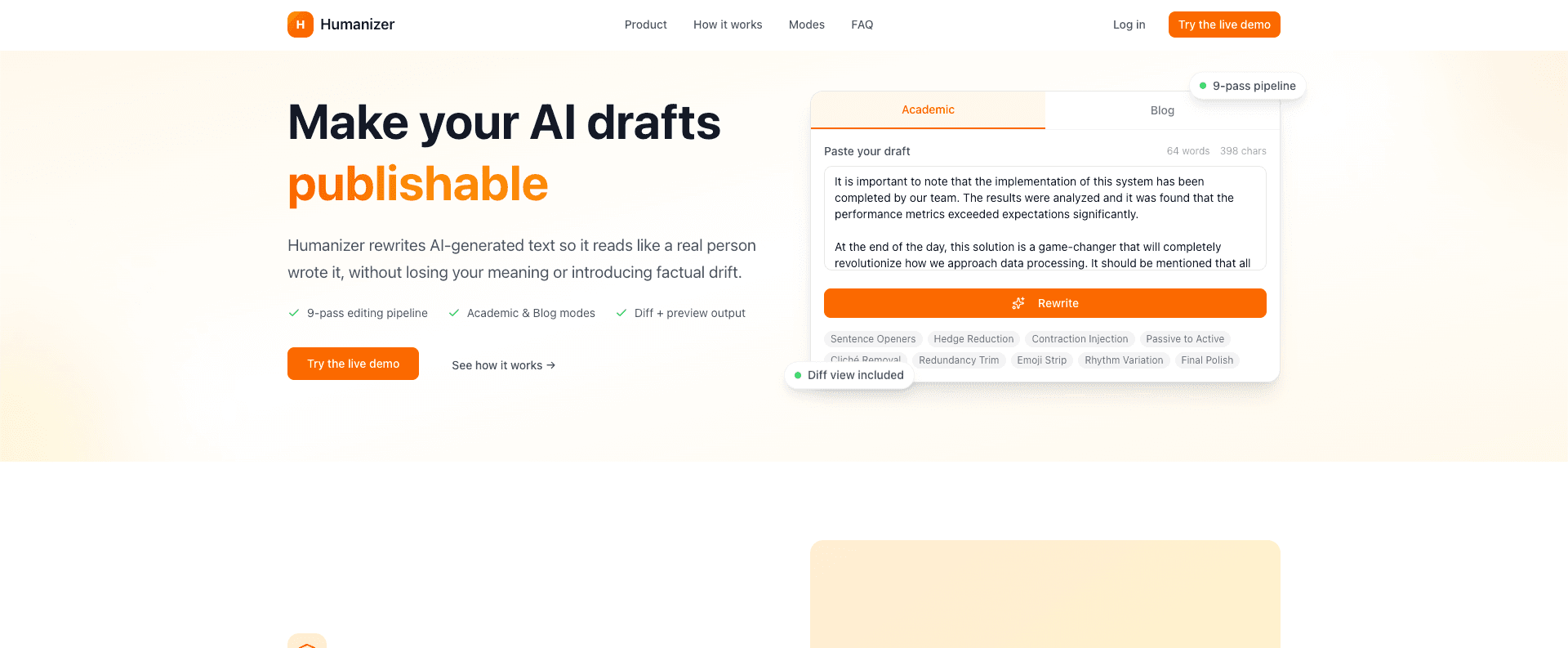
Humanizer
A live AI-assisted rewriting tool that applies a visible multi-pass editing pipeline to make drafts more natural while preserving meaning and formatting.
Stack
Tags
Why I built it
I built Humanizer because AI-generated drafts can be useful but still sound flat, repetitive, or over-polished. I treat the problem as editing rather than generation: the user brings a draft, chooses a writing mode, and inspects the rewrite.
The trust layer matters as much as the rewrite. I wanted visible diffs and named editing passes so the transformation is easier to verify than a black-box “make this sound human” prompt.
What it does
The live site positions Humanizer around the value prop “Make your AI drafts credible.” Users paste text, choose a mode, and receive a rewrite plus a diff view that highlights exact changes.
I exposed two visible modes because “human” writing has different constraints by context. Academic mode preserves citations, technical terms, and formal structure while using fewer contractions. Blog mode favors conversational rewrites, natural contractions, shorter paragraphs, and engaging rhythm. The site also presents Markdown formatting as preserved through the pipeline.
Technical shape
Public live-site evidence shows the named 9-pass editing pipeline I present to users: Sentence Openers, Hedge Reduction, Contraction Injection, Passive to Active, Cliché Removal, Redundancy Trim, Emoji Strip, Rhythm Variation, and Final Polish.
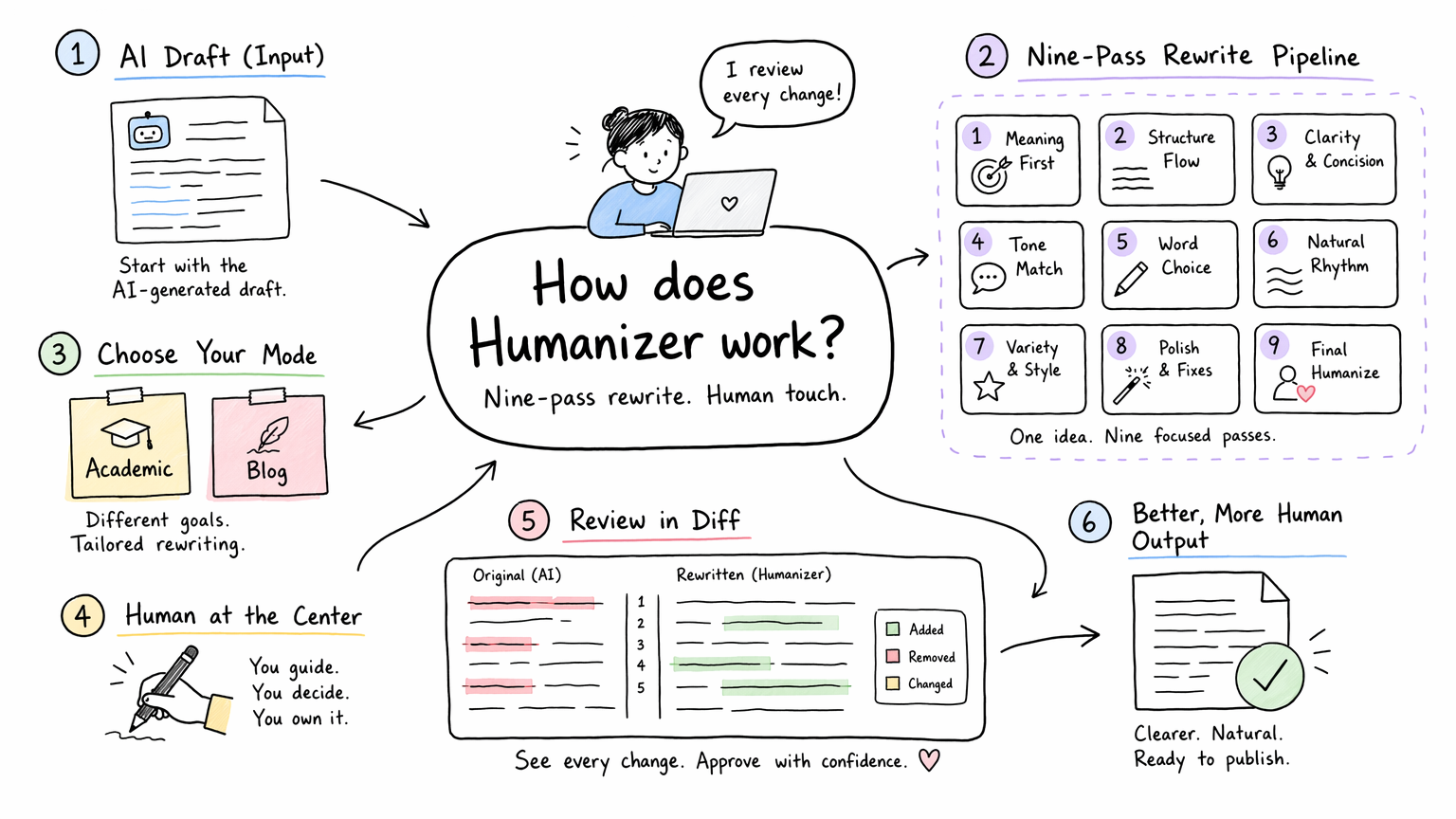
I designed the rewrite experience around inspectable passes and a diff, so the output is something a writer can verify instead of blindly trust.
The live site states that the pipeline runs in-memory and that input is not stored or used for training. It also shows login/auth UI and mentions modern AI infrastructure with sub-second response times, but the source repository is not public, so I do not claim an internal framework, model provider, prompt architecture, database, or auth implementation here.
The part that makes it trustworthy
The rewrite itself is only half the product. The other half is showing the writer what changed and why it changed. That is why I think the diff view and mode split matter more than a generic “make this sound human” button.
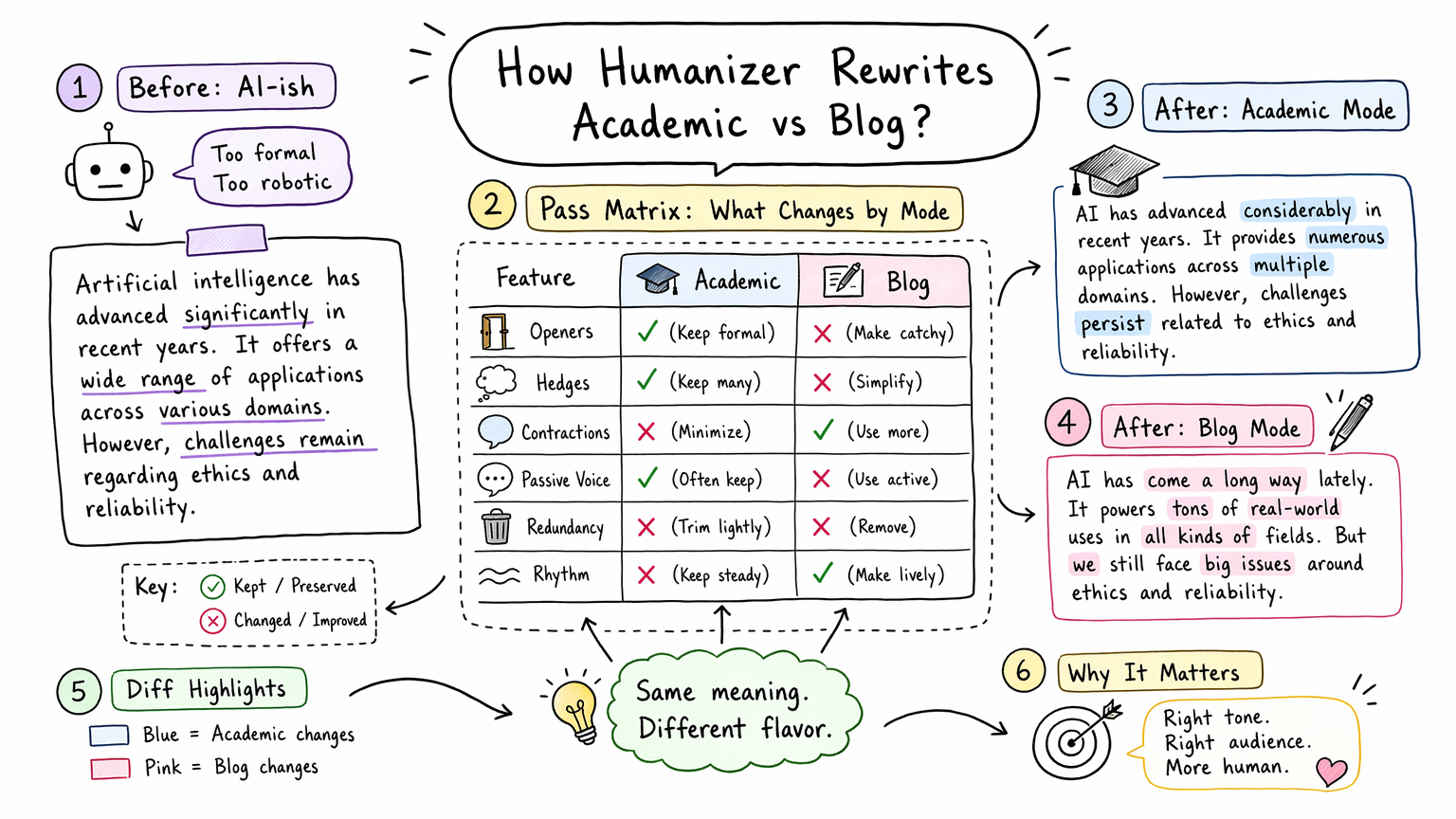
The mental model I built around: the same draft can move through different edit constraints, and the user should still be able to inspect the result.
Academic mode and Blog mode should not feel like two labels pasted over the same output. Academic writing has to protect citation shape, formal terms, and structure. Blog writing can be warmer, shorter, and more rhythmic. The product is more honest when those constraints are visible.
Key implementation decisions
- I broke rewriting into named passes so users can understand what changed.
- I separated Academic and Blog modes because “human” writing has different constraints by context.
- I included a diff view so trust is inspectable instead of implied.
- I preserved Markdown formatting for practical writing workflows.
- I treated privacy as part of the product surface by stating that input is not stored or used for training.
Current status
Humanizer is an active live project launched in 2025. The public page includes a marketing section, live demo CTA, login link, FAQ, mode comparison, metric cards, and pipeline walkthrough.
Live exploration found footer links for /docs, /docs/api, /changelog, and /privacy, but those routes returned 404 during research. Site-published metrics such as word reduction, contraction increase, passive voice reduction, and weekly document volume should be read as live-site claims, not independently verified measurements.
What I would improve next
I would ship the linked docs, API documentation, changelog, and privacy pages so the footer matches the product surface. I would also add side-by-side examples for Academic and Blog mode and publish a clearer explanation of failure handling across the multi-pass rewrite flow.